> For the complete documentation index, see [llms.txt](https://docs.cwallet.com/llms.txt). Markdown versions of documentation pages are available by appending `.md` to page URLs; this page is available as [Markdown](https://docs.cwallet.com/spot-trade/swap/how-to-swap-bot.md). Agents can also search and read this documentation through its [MCP server](https://docs.cwallet.com/~gitbook/mcp).
# How to Swap (BOT)
Cwallet swap
Method 2: Swap cryptos using Cwallet Telegram bot
**1.** Direct message to [@Cwallet\_com\_Bot](https://t.me/cwallet_com_bot) on Telegram, or if you have created your own Cwallet exclusive Telegram bot, you can direct message to your exclusive bot as well.
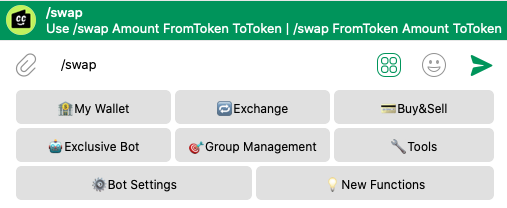
Now, please send the command **/swap** for a tutorial.
Alternatively, the swap command can be found by following the steps below: Enter **/** to find the **/swap** command in the input box, and click it to view a tutorial on how to swap.
**2.** After entering **/swap**, the bot will respond to the following two types of tutorials as shown below.

According to your needs, send the command and click **Confirm** button to begin swapping.
**Note**: There is no network fee for Cwallet Swap. You may click **Cancel** to cancel swapping. You will not be charged until you confirm your order.

When you click **Confirm**, it will immediately exchange and send the following information about your order:

### **Differences between the 2 types of swap commands:**
* **Specify the amount of tokens you wish to exchange out, and Cwallet bot will automatically exchange the tokens you wish to receive.**
**Command format:** /swap Amount Token(swap out) Token(swap in)
**Example:** to exchange 1 BTC to USDT, then send the command: /swap 1 BTC USDT
Accordingly, the bot will respond to the swap related information, as follows: you will receive 24522.18344965 USDT.

* **Specify the amount of tokens you would like to receive, and CC bot will automatically subtract the amount of tokens required for exchange.**
**Command format:** /swap Token(swap out) Amount Token(swap in)
**Example:** to exchange BTC to 1000 USDT, then send the command: /swap BTC 1000 USDT
Accordingly, the bot will respond to the swap related information, as follows: you will need to send 0.04076428 BTC to exchange to 1000 USDT.

\