---
description: >-
A subscription group on Cwallet lets users share premium content with group
members – like tutorials, online courses, live sessions, videos, etc.
---
# How to Join a Subscription Group
This content is exclusive to a part of the wider community that is more invested and engaged with your business.
**The following steps will guide you in joining:**
**1.** It is essential for a user to have an invitation link of a subscription group in order to join that group.
Upon receiving the group link, joining a subscription group requires completing payment of subscription fees.
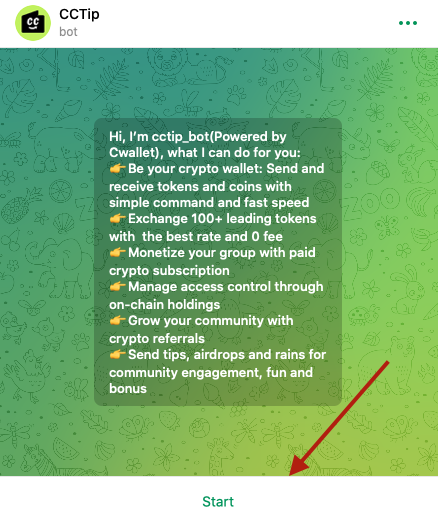
**2.** Click on the invitation link you received to start a conversation with bot. Click on **Start.**
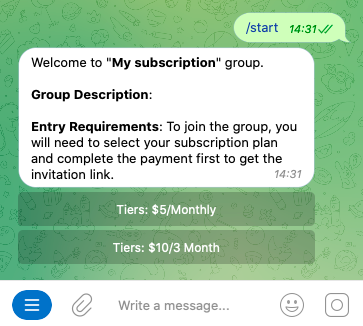
**3.** Select a subscription plan and click the **Tiers** button.
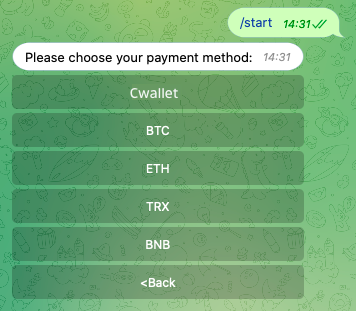
**4.** In order to pay for the subscription fee, you need to choose a token for the payment method.
**Note**: If you select Cwallet, you will pay via Cwallet internal transfer without fees.
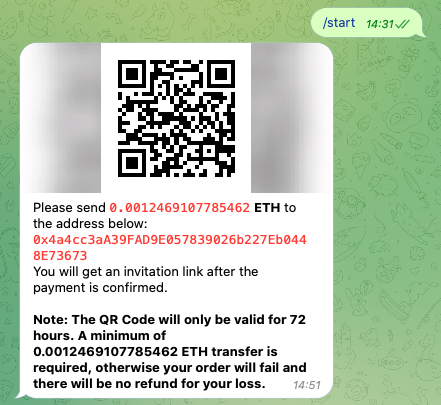
**5.** Scan this QR code with your wallet or input this deposit address to make a payment
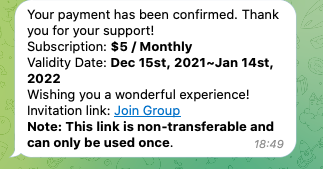
**6.** Once the payment has been completed, you will successfully subscribe to and enter the group by clicking **Join** **Group.**