> For the complete documentation index, see [llms.txt](https://docs.cwallet.com/llms.txt). Markdown versions of documentation pages are available by appending `.md` to page URLs; this page is available as [Markdown](https://docs.cwallet.com/cwallet-bots/cwallet-bot-on-telegram/referral-program/how-to-set-up-referral-program.md).
# How to Set Up Referral Program
How to Set Up Referral Program
### To enable the Referral Program, please follow the steps below
**1.** Invite [@Cwallet\_com\_Bot](https://t.me/cwallet_com_bot) or your exclusive bot to your group
**2.** Promote the bot to group admin with all admin permissions except **'Remain Anonymous'** and **'Add New Admins'.**
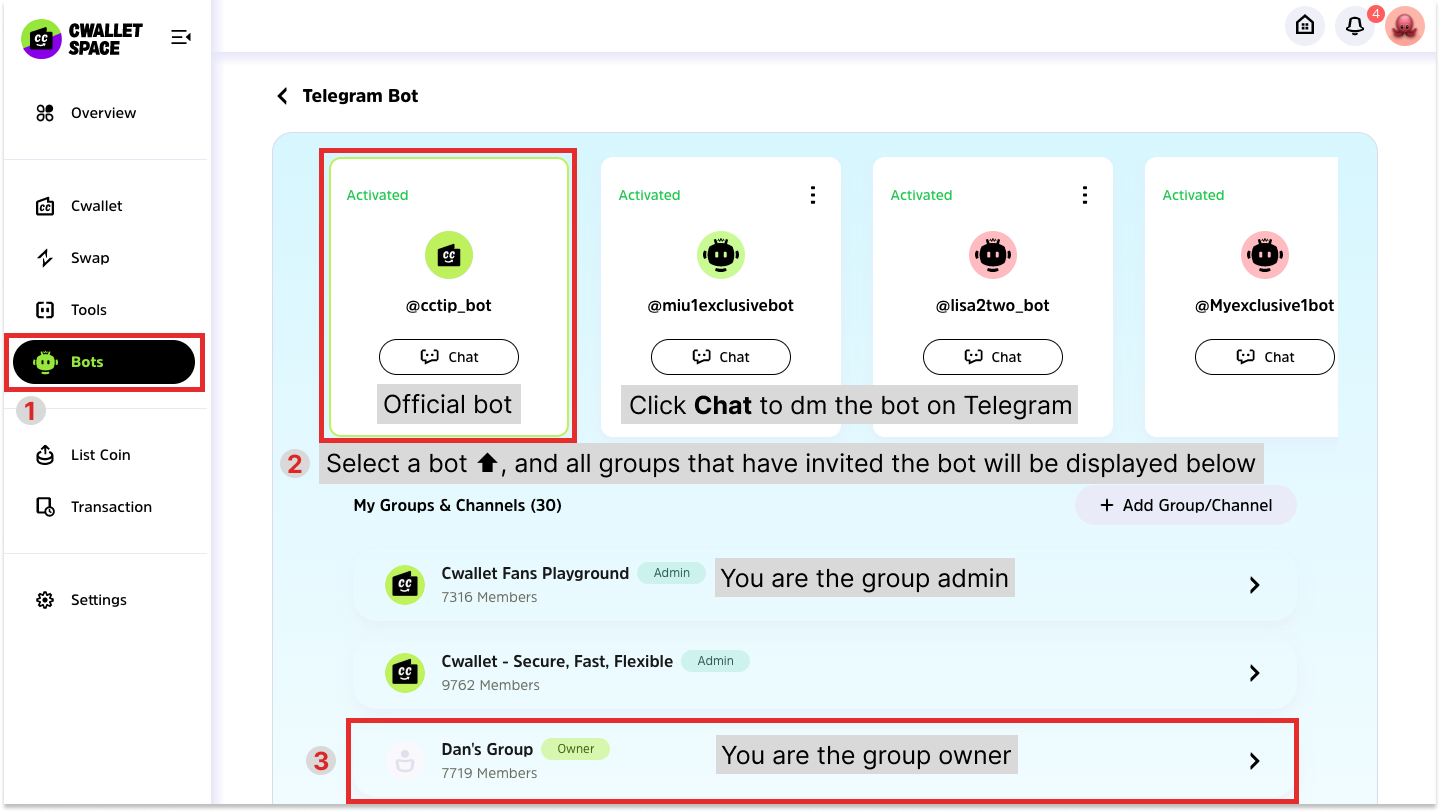
**3.** Log in to [Cwallet](https://cwallet.com/) with your Telegram account and go to page **Bots** > **Telegram** **Bot.** Click the bot that you use in the group and click into the group from the list below to enter settings
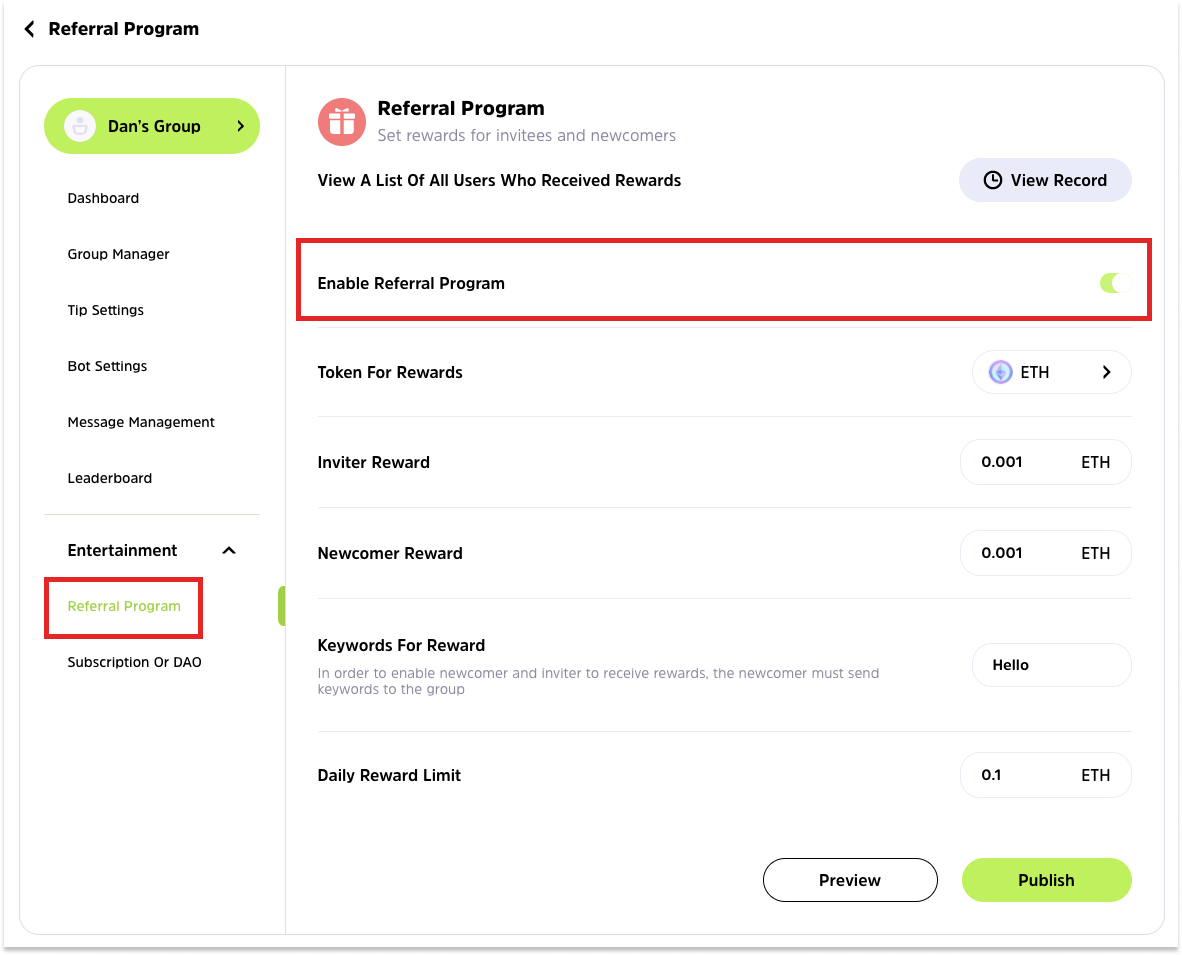
**4.** Fill up the referral reward details for inviter and invitee followed by the **Save** button.
* **Inviter Reward:** the referral reward for inviter.
* **Newcomer Reward:** the referral reward for newcomer
* The newcomer rewards must be set for both the inviter and the newcomer.
* **Daily Reward Limit:** to avoid multi-account users, you may set a limit on the total number of rewards that may be claimed each day.
* **Keywords for Reward:** Whenever a new member joins the group, the bot will prompt him/her to send this keyword to activate the reward, otherwise the referral reward will not be available for this inviter and newcomer.
.png)