> For the complete documentation index, see [llms.txt](https://docs.cwallet.com/llms.txt). Markdown versions of documentation pages are available by appending `.md` to page URLs; this page is available as [Markdown](https://docs.cwallet.com/cwallet-bots/cwallet-bot-on-telegram/referral-program/how-to-add-user-and-receive-referral-reward.md).
# How to Add User and Receive Referral Reward
It is only possible to receive referral rewards when a referral program is implemented in a group.
**Here is a guide for inviters and invitees on how to earn Referral rewards:**
### **For inviter**
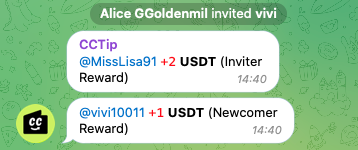
* Whenever you invite a new member into a Telegram group, the newcomer reward will be directly credited to your Cwallet account linked with that Telegram account.
* Depending on the reward setter(group owner or admin), both the inviter and the invitee may receive the reward (the amount may be different), or only one of them may receive the reward
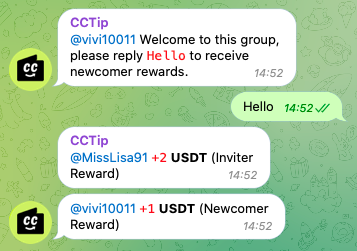
* Only the invitee who sends the keywords to the group can trigger the reward. Therefore, unless the invitee sends the keywords to the group, the reward will not be sent.
### **For invitee(newcomer)**
* Whenever you join a Telegram group and speak/send a keyword in the group, the newcomer reward will be credited directly to your Cwallet account linked with your current Telegram account.
### How does the invitation work
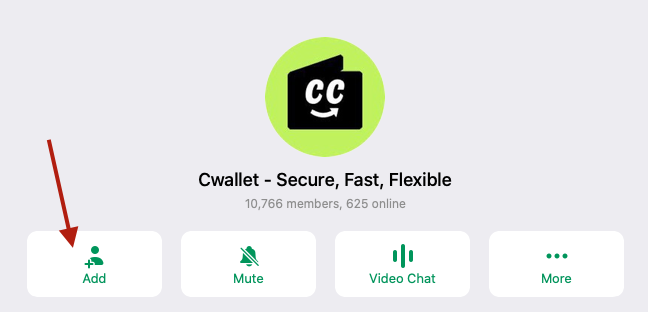
* ✅ If you invite a user by clicking the **Add** button and add this user to group, this reward will be applied.
* ❌ Sending a **private/public** group link to the user to invite them to join the group will not work.


## How to claim my reward
Your referral reward will be automatically credited to your Cwallet account linked with your Telegram account.
### To check your reward:
**Method 1:** DM Cwallet bot (official bot: [@Cwallet\_com\_Bot](https://t.me/cwallet_com_bot) or the Cwallet bot with different name in the group) and send /balance, or /balance \[TokenName] to check your reward.
**Method 2:** Log in to [Cwallet](https://cwallet.com) using your Telegram account and check the Transaction record.