> For the complete documentation index, see [llms.txt](https://docs.cwallet.com/llms.txt). Markdown versions of documentation pages are available by appending `.md` to page URLs; this page is available as [Markdown](https://docs.cwallet.com/crypto-deposit-and-withdraw/custodial-wallet/withdrawal/how-to-withdraw-crypto.md).
# How to Withdraw Crypto
Here is a tutorial on how to withdraw crypto tokens into your Cwallet account. When withdrawing to your wallet, please ensure to enter the correct withdrawal tag and address.
## **How to Withdraw Crypto**
**Method 1:** Withdraw through Cwallet app/website
**Method 2:** Withdraw through Cwallet bot on Telegram
## **Method 1:** Withdraw crypto on Cwallet app/website
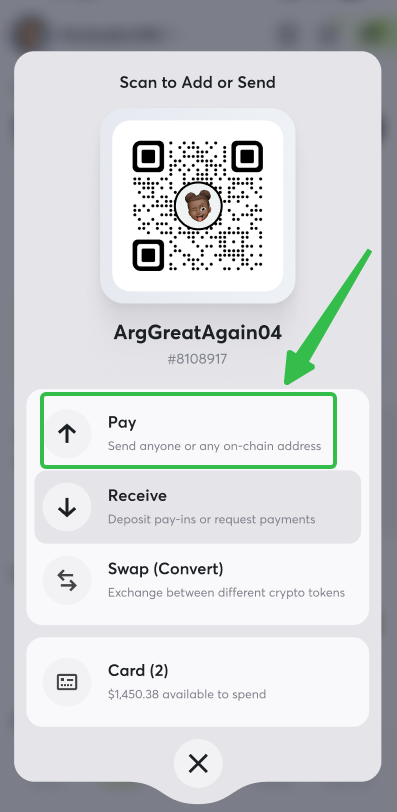
**1.** Visit Cwallet and navigate to the button, then click Pay
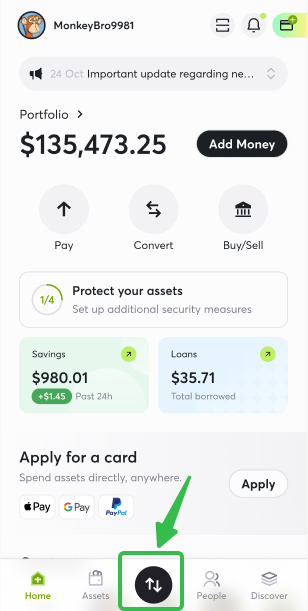
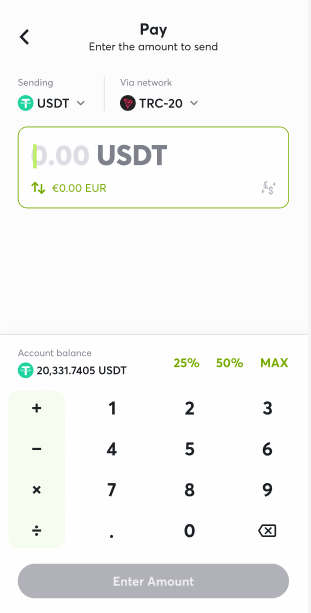
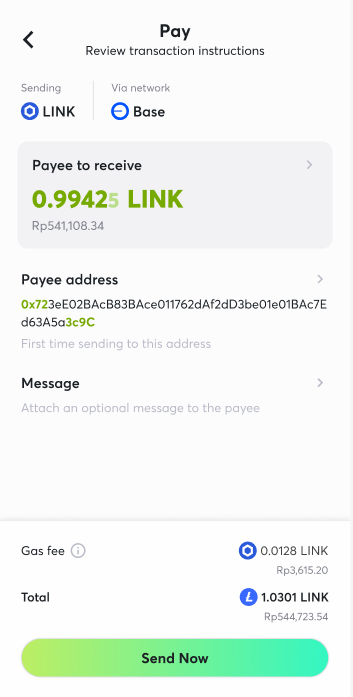
**2.** Choose the **token** and **network**, enter the withdrawal amount and withdrawal address/Cwallet ID of your crypto wallet.
* **About network fee:** The gas fee will fluctuate with the fluctuations of the blockchain. And there will be **NO network fees and service fees** for Cwallet internal transfers.
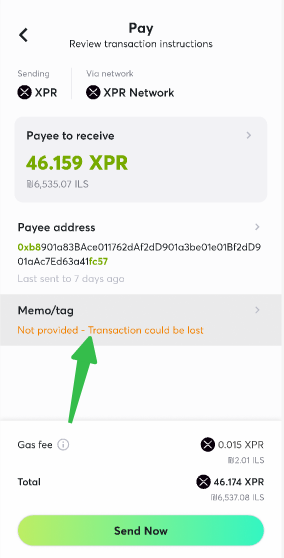
**3.** If you want to withdraw a memo coin, such as **TON, XRP, XLM, and EOS**, you need to enter the destination memo to avoid losing funds.
## **Method 2:** Withdrawal through Cwallet bot on Telegram
**1.** Take withdrawing USDT as an example. Send a direct message to [@Cwallet\_com\_Bot](https://t.me/cwallet_com_bot) in Telegram with the command **/withdraw 100 TRX** **TAgoHHQ8PCNGD7uPUfbA2PZ1NQBz7sHmt6**.
Command format: /withdraw Amount TokenName WithdrawalAddress memo(optional)
**2.** Select the network for the token to be withdrawn.

After confirming the network, the bot will reply with a message confirming the withdrawal.\
You may check the process and status on this page.
**For on-chain transfer:**
First, you will see the order is processing.

Then, you will see the order completes and it has been sent to the destination address.

**For Cwallet internal transfer:**
First, you will see the order is processing.

Then, you will see the order completes and it has been sent to the destination address.

**Note**: There is no TXID for Cwallet internal transfer.