> For the complete documentation index, see [llms.txt](https://docs.cwallet.com/llms.txt). Markdown versions of documentation pages are available by appending `.md` to page URLs; this page is available as [Markdown](https://docs.cwallet.com/crypto-deposit-and-withdraw/custodial-wallet/deposit/how-to-deposit-crypto-to-cwallet.md).
# How to Deposit Crypto to Cwallet
Here is a tutorial on how to deposit crypto tokens into your Cwallet account. When depositing to your account, please ensure to copy the correct deposit tag and address.
## **How to deposit to** Cwallet **account**
**Method 1:** Deposit through Cwallet app/website
**Method** **2:** Deposit through Cwallet bot on Telegram
## **Method 1: deposit on** Cwallet **app/website**
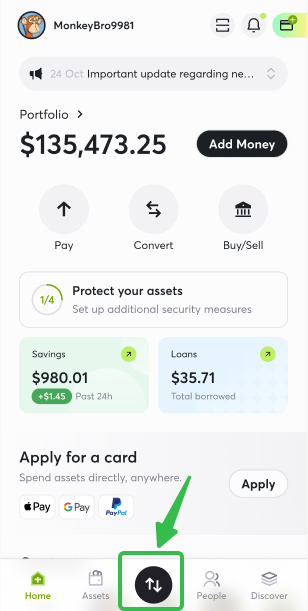
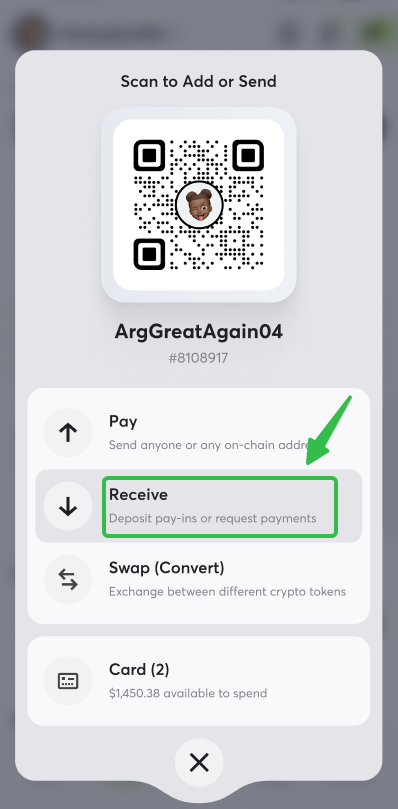
1. Visit Cwallet and navigate to the button, then click Receive
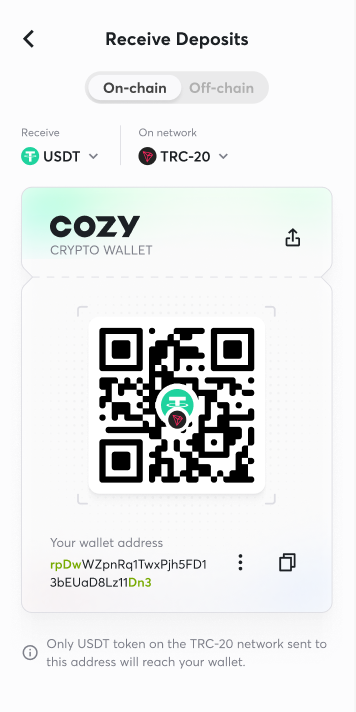
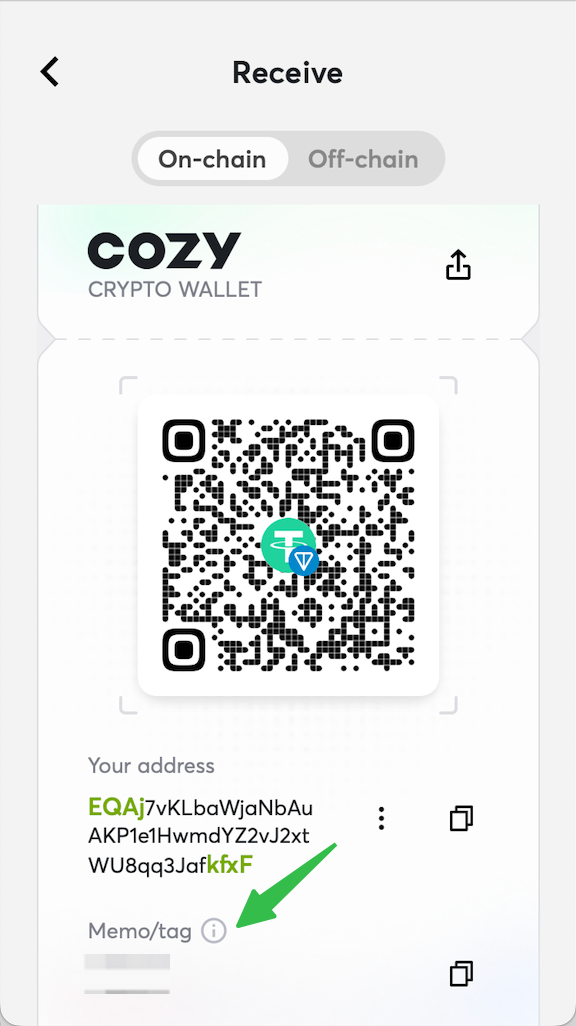
2. Choose the **network** from which the **token** is to be deposited. The deposit address will be displayed, and you can also copy the address or scan the deposit QR code. Cwallet internal transfer is available as well.
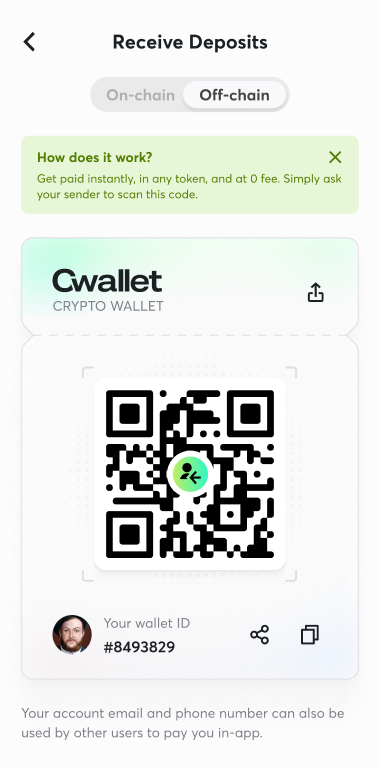
3. Click here to make an internal deposit
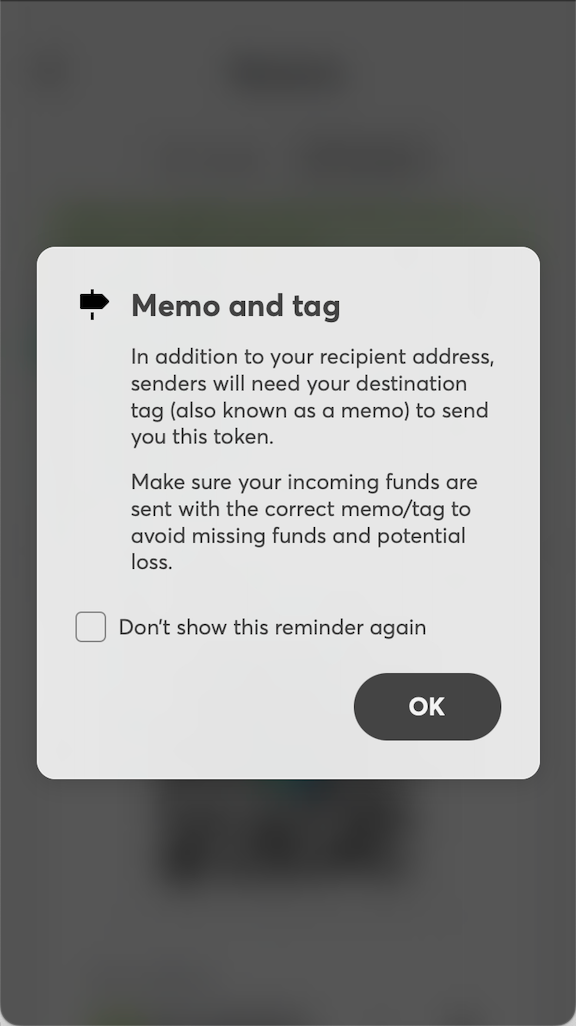
**Note**: If you want to deposit memo coin, such as **TON**, **XRP, XLM, and EOS** require a deposit **memo** to be included with your transaction. Transactions missing a memo will fail to deposit. And you can check your Cwallet memo here.
**Note**: The minimum deposit amount for XRP tokens is 0.01 XRP. Deposits below this amount will not be processed successfully.
## **Method** **2:** deposit through Cwallet bot on Telegram
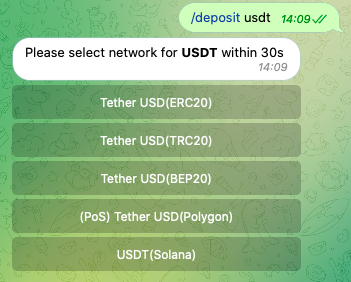
**1.** Take depositing USDT to a Cwallet account as an example. Send a direct message to **@Cwallet\_com\_Bot** with the command **/deposit USDT** on Telegram.
`Command format: /deposit TokenName`
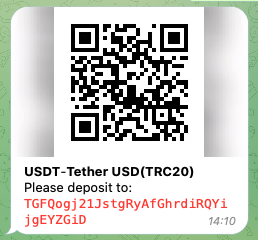
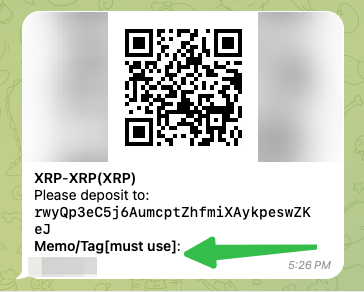
**2.** Select the network for the token to be deposited and you will receive the QR code and text code for the corresponding deposit address.
**3.** Take USDT-TRC20 as an example, you can either scan the QR code with your crypto wallet or paste the deposit address into your crypto wallet.
After the deposit is successful, the bot will response with a message confirming the deposit.\
You may check the updated balance by sending **/balance** **USDT.**
**Note**: The following currencies: **XRP, XLM, EOS** require a deposit **memo** to be included with your transaction. Transactions missing a memo will fail to deposit.
After the deposit is successful, the bot will response with a message confirming the deposit.
**Note**: If you want to deposit memo coin, such as **TON**, **XRP, XLM, and EOS** require a deposit **Memo** to be included with your transaction. Transactions missing a Memo will fail to deposit.
And you can check your Cwallet Memo here.
**Note**: The minimum deposit amount for XRP tokens is 0.01 XRP. Deposits below this amount will not be processed successfully.