> For the complete documentation index, see [llms.txt](https://docs.cwallet.com/llms.txt). Markdown versions of documentation pages are available by appending `.md` to page URLs; this page is available as [Markdown](https://docs.cwallet.com/crypto-deposit-and-withdraw/custodial-wallet/deposit/how-to-change-deposit-address.md).
# How to Change Deposit Address
Here is a tutorial on how to deposit crypto tokens into your Cwallet account. When depositing to your account, please ensure to copy the correct deposit tag and address.
### **How to Change deposit address**
**1.** Visit Cwallet and navigate to the button, then click Receive
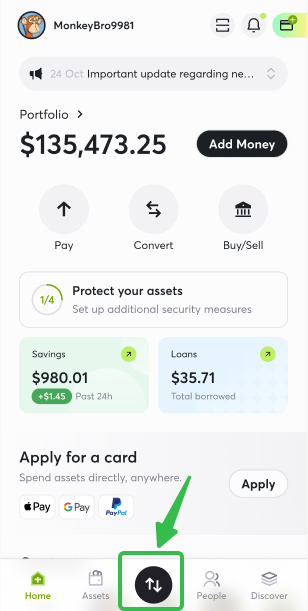
**2.** Choose a token, for example, USDT, and select the network before changing the deposit address. And then click this button to **get a new address**
You will notice that the deposit address has been changed.
**Note**: Please kindly note that once you change to a new address, the old address cannot be recovered. However, any transactions sent to your old address will still be credited to your account.


