> For the complete documentation index, see [llms.txt](https://docs.cwallet.com/llms.txt). Markdown versions of documentation pages are available by appending `.md` to page URLs; this page is available as [Markdown](https://docs.cwallet.com/crypto-deposit-and-withdraw/custodial-wallet/deposit/deposit-via-lightning-network.md).
# Deposit via Lightning Network
Here is a tutorial on how to deposit crypto tokens into your Cwallet account. When depositing to your account, please ensure to copy the correct deposit tag and address.
**Instant Payment:**
Lightning-fast blockchain payments without worrying about block confirmation times.
**Lower Cost:**
By transacting and settling off-blockchain, the Lightning Network allows for exceptionally low fees, which allows for emerging use cases such as instant micro-payments.
## **How to deposit via Lightning Network**
**Method 1:** Deposit on Cwallet app/website
**Method** **2:** Deposit through CC bot on Telegram
### **Method 1:** Deposit on Cwallet app/website
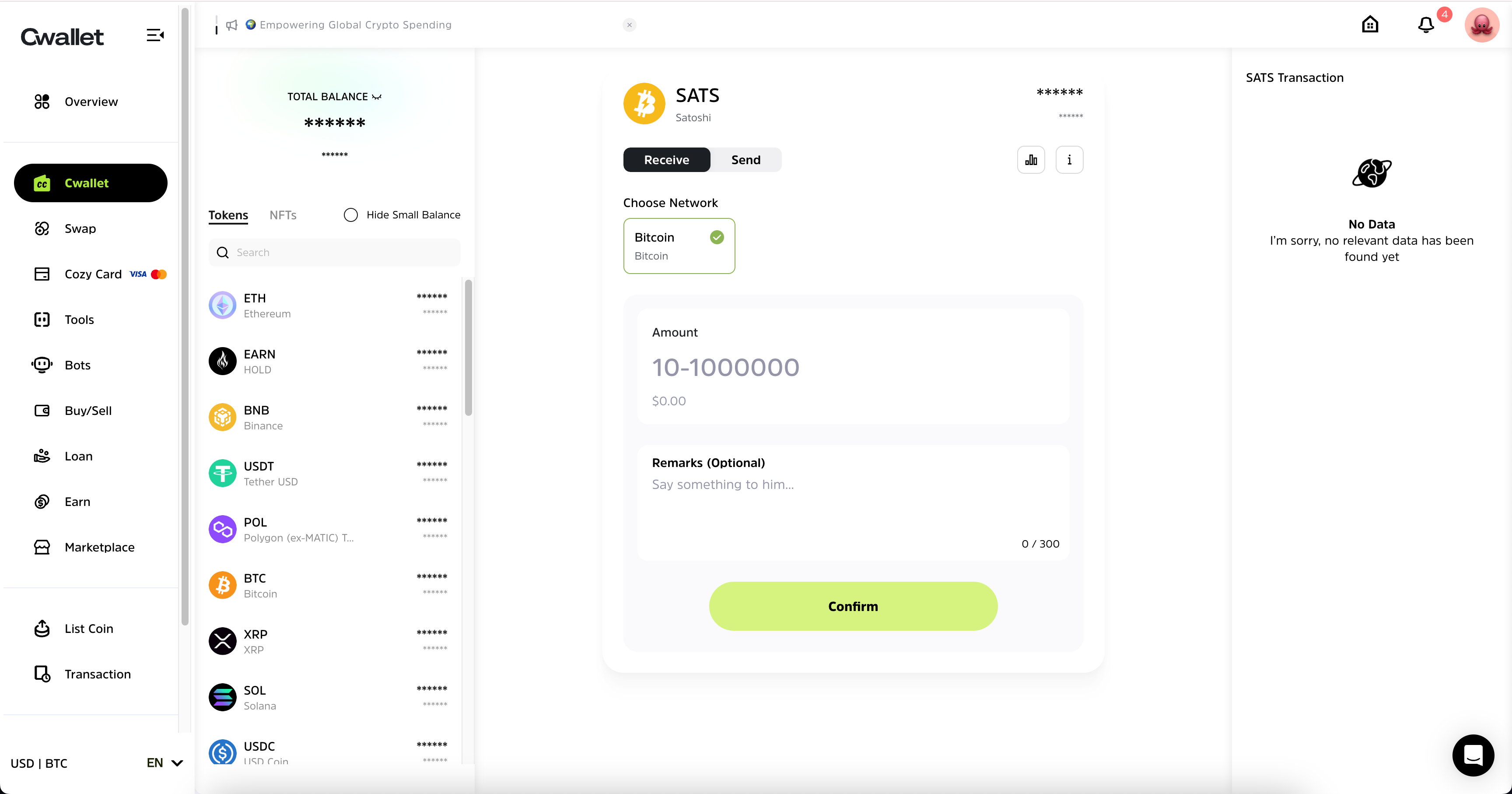
1\. Visit [Cwallet](https://cwallet.com) and navigate to the page **Cwallet,** locate SATS and click **Receive.**
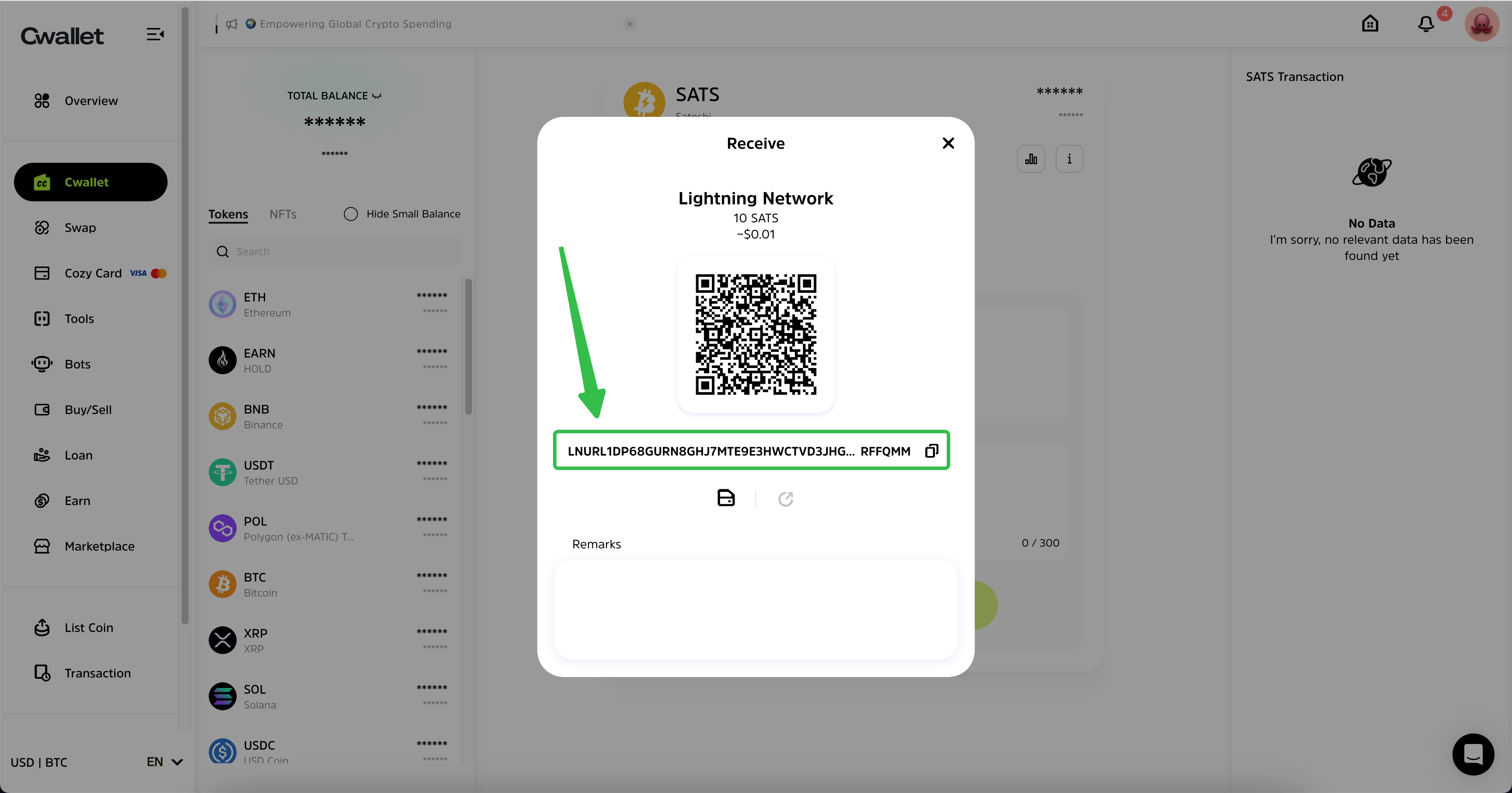
**2.** Either enter the deposit amount or do not enter any, tap **Confirm** to obtain your deposit address
**Note**: If you have previously entered an amount, you must deposit that amount.
**3.** You can also scan the QR code with your crypto wallet or paste the deposit address into your crypto wallet to make a deposit.

As soon as the deposit is successful, this page will display a message indicating the status of the deposit. You may check the deposited tokens in the **Transaction** **Record** or **Balance**.
### **Method** **2:** Deposit through Cwallet bot on Telegram
**1.** Send a direct message to **@Cwallet\_com\_Bot** with the command **/deposit SATS** on Telegram.
you can either scan the QR code with your crypto wallet or paste the deposit address into your crypto wallet.

After the deposit is successful, the bot will response with a message confirming the deposit.