> For the complete documentation index, see [llms.txt](https://docs.cwallet.com/llms.txt). Markdown versions of documentation pages are available by appending `.md` to page URLs; this page is available as [Markdown](https://docs.cwallet.com/account/how-to-delete-an-account.md).
# How to Delete an Account
We are sorry to see you go, but we respect your decision if you wish to close your account.
First, we want to let you know. This deletion feature is currently available on Cwallet App only. You cannot perform this action via the Web version. If you are using the web version, please log in to Cwallet App on your mobile device to proceed.
**Before You Proceed:** We strongly advise that you need to withdraw all remaining assets to an external wallet. Please ensure your balance is zero. And you also need to check all features, such as Earn or other investment products, to make sure there is no other balance.
If you have funds in these features, you must first redeem or transfer them back to your Cwallet balance, and then you can withdraw the total amount into an external wallet.
**Any funds left in any part of your account after the final deletion occurs will be permanently lost and cannot be recovered.**
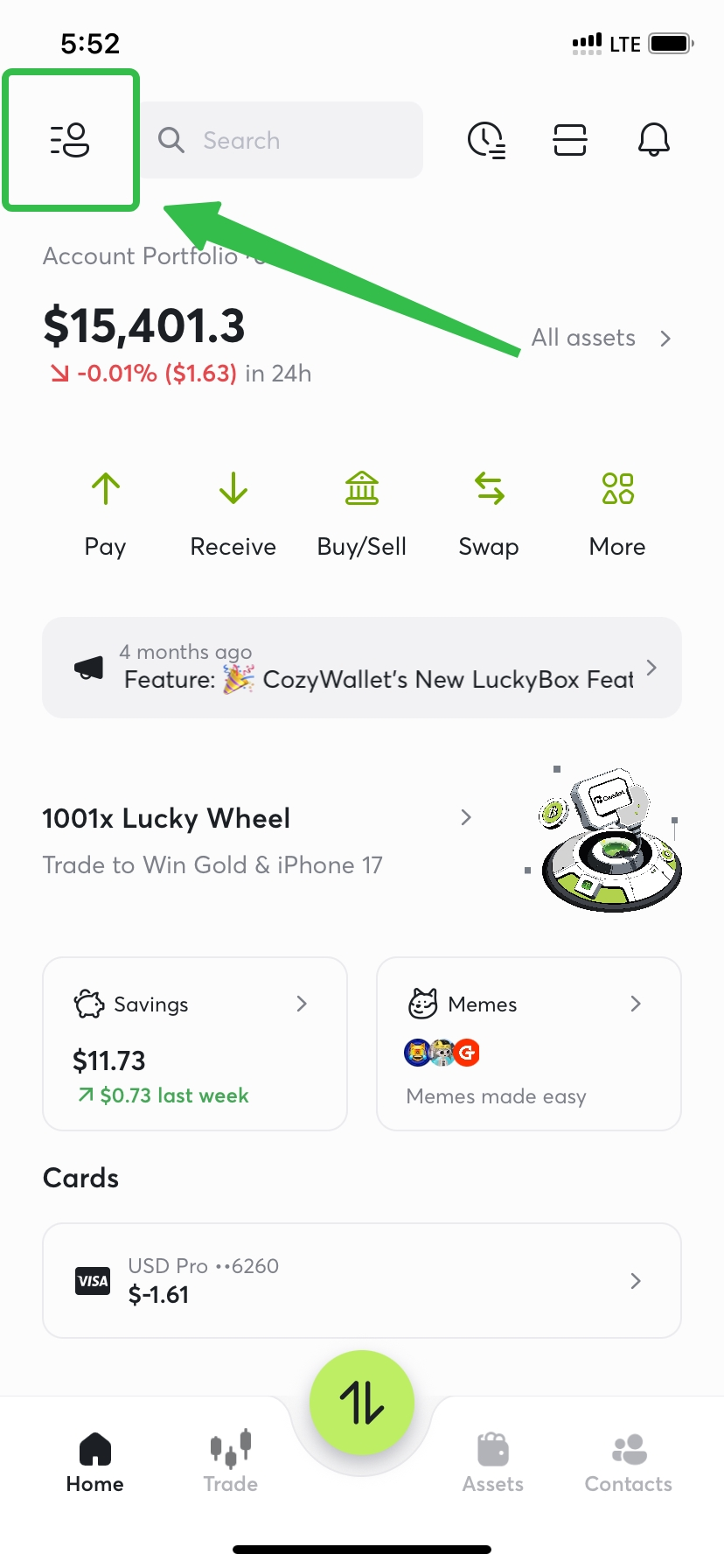
Navigate to your account profile page, and click your avatar photo to the account '**settings**' page.
Scroll down on this page, and you will see the '**Delete account**' option.
Once you submit the deletion request on the App, your account is not deleted immediately. Instead, it enters a **30-Day Safety Net**:
* If you change your mind, simply log in to your account within 30 days. This action will automatically cancel your deletion request and fully restore your account access.
While this chapter may be closing, please know that Cwallet will always be here to welcome you back, should you decide to return and start a new crypto journey with us in the future.